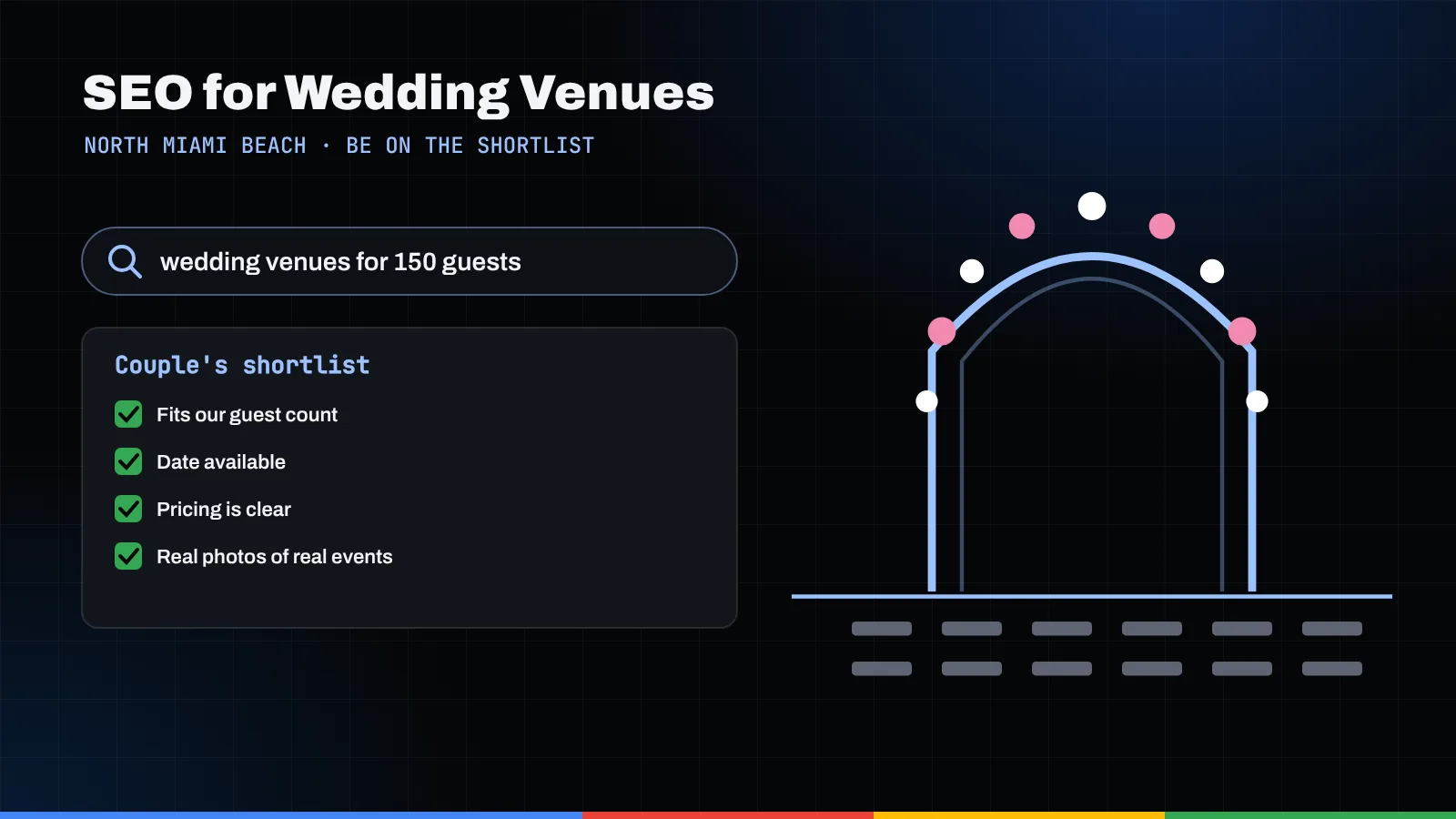
Couples shortlist venues with a mental checklist: will our guests fit, is our date open, can we afford it, does it look like us, and what happens if it rains. SEO for wedding venues means giving each of those questions a clear, findable answer, on your Google Business Profile and on dedicated pages of your site, so you make the shortlist before the first tour is ever booked.
Key takeaways
- Build your site around the couple's checklist: capacity, availability, pricing, photos, logistics, accessibility, parking and a rain plan each deserve a clear answer.
- Pick the fewest, most specific Google Business Profile categories that describe your venue as a whole, and keep your photos real and current.
- Use schema.org's EventVenue type to describe the space; save Event markup for occasions the public can actually book, never private weddings.
- Real-wedding galleries work best with the couple's written permission, photographer credit and fast-loading images.
- Ask every couple for a review the same way, with no gifts or discounts attached, and reply to every one.
The couple's checklist, and why your website is the first tour
Let me tell you how a shortlist really gets made. It rarely happens at a bridal show or on a site visit. It happens on a couch, on two phones, late on a weeknight, with a group chat open. One partner types "waterfront wedding venue north miami beach," the other types "banquet hall 150 guests," and together they start crossing places off.
What crosses a venue off? Rarely one bad photo. Usually it's an unanswered question. If a couple can't tell whether you seat 180, whether spring Saturdays are open, or where Grandma parks, they don't call. They move on to the venue that told them.
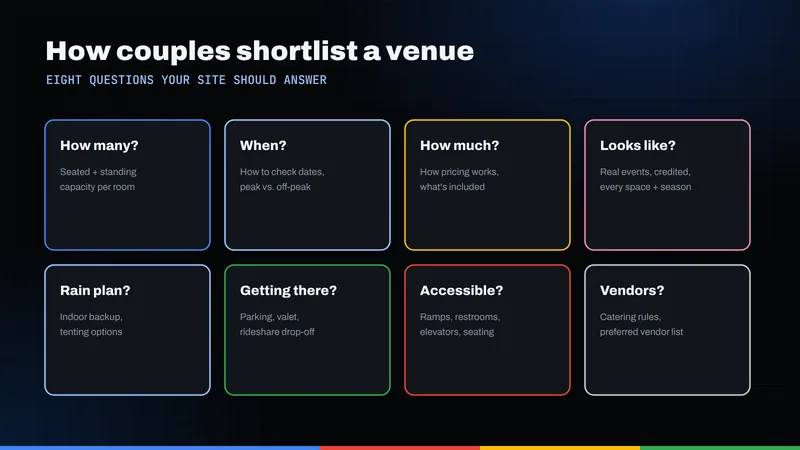
So when I coach a venue owner on wedding venue SEO, I start with the couple's checklist, not keywords:
- Capacity: Will our guest count fit, seated and standing?
- Date availability: Is our date, or our season, open?
- Price transparency: Roughly what will this cost, and what's included?
- Photos: Does it look like us, in real light, with real weddings?
- Logistics: Ceremony and reception on site? Vendor rules? Load-in times? End time?
- Accessibility: Can every guest get from the car to the dance floor comfortably?
- Parking: Where do 60 cars go? Valet? Rideshare drop-off?
- Rain plan: If the sky opens, where does the ceremony move?
Google's job is to match a search to the page that answers it best. Answer the checklist page by page and you give Google, and the couple, exactly that. That's SEO for wedding venues in a sentence, and the same thinking drives good event venue SEO for ballrooms, banquet halls, garden and waterfront properties, and restaurants with private rooms.
Your Google Business Profile is the first walk-through
Before most couples ever see your website, they see your profile in the map results. It's the front door of local SEO in Miami and every neighborhood around it, so treat it like the entrance hall: tidy, accurate and welcoming.
Choose categories the way Google asks you to
Google's guidance on choosing Business Profile categories is clear: choose the fewest categories it takes to describe your core business, as specific as possible but representative. Categories describe what you are, not everything you offer, and a specific category automatically covers broader related ones.
For a dedicated wedding property, lead with the most specific venue category in the picker. A restaurant with private dining rooms should stay a restaurant first and let weddings and rehearsal dinners live in its description, services and photos. And if a separately operated florist or caterer works inside your building, Google asks you not to borrow its category.
Photos, hours and the small details
Upload photos that show the room as couples will find it: the ceremony space set and unset, the reception room from the doorway, the bridal suite, the entrance, the parking area and the accessible route. Keep edits light; a couple who tours a room that looks nothing like its photos rarely books.
Keep hours, phone, website link and address consistent everywhere. Our guide to Google Business Profile for North Miami Beach businesses covers setup step by step, and our local SEO services handle it end to end for venues that would rather focus on their couples.
Capacity and pricing pages: answer the first two questions plainly
If I could give every venue owner one piece of advice, it would be this: put capacity and your pricing approach where couples can find them without a phone call.
Capacity, room by room
Give each space its own section or page, with numbers you can stand behind: seated with a dance floor, seated without, standing cocktail and ceremony seating. Note what changes the math, such as a band stage or head table. A couple with 140 guests should know in ten seconds which room works.
Pricing without invented numbers
You don't have to publish a full price list, and you should never put a number on the site that you won't honor. What couples need is enough to know whether a call is worth their time. Pick the approach that matches how you actually sell:
- Your real starting figures or minimums, with what they include and the day or season they apply to.
- How pricing is structured (per guest, rental fee plus catering, food-and-beverage minimum) even if you don't list dollar amounts.
- What's included versus extra: tables, chairs, linens, ceremony setup, coordinator, cake cutting, security, cleanup.
- What changes the price: day of the week, season, time of day, guest count.
A plain explanation brings better-fit inquiries, and it gives searches like "banquet hall pricing" a real answer instead of a thin "contact us for a quote" page.
The couple's checklist, matched to the page that answers it
Here's the table I'd tape to the wall during a site planning meeting. Each question on the left deserves a specific, linkable answer on the right.
| Couple's question | Page or asset that answers it | What it should show |
|---|---|---|
| Will our guests fit? | Spaces & capacity page (one section per room) | Seated, standing and ceremony counts; floor plan; layout notes |
| Is our date open? | Availability or inquiry page | Booking window, how holds work, fastest way to check a date |
| What will it cost? | Pricing & packages page | Real starting figures or structure, inclusions, what changes the price |
| Does it look like us? | Real-wedding gallery pages | Permissioned photos by season and room, with photographer credit |
| Can we picture the day? | Virtual tour or walkthrough video | Arrival, ceremony space, reception room, bridal suite |
| What are the rules and timings? | Logistics & vendor FAQ page | End time, load-in, outside vendors, music, décor limits |
| Can every guest get in comfortably? | Accessibility section | Step-free routes, elevators, restrooms, seating options |
| Where do guests park? | Directions & parking page | Lot size, valet, rideshare drop-off, nearby alternatives |
| What if it rains? | Rain plan section on each outdoor space | Indoor backup room, tent options, decision timeline |
| Do other couples recommend it? | Google Business Profile reviews | Recent, genuine reviews with thoughtful owner replies |
Most rows are pages, not paragraphs buried on the homepage. Separate pages give Google something specific to rank and give couples a link to drop into the group chat. To see this kind of structure on finished sites, browse our portfolio.
Real-wedding galleries: permission, credit and captions that work
Nothing sells a venue like a real wedding. Couples want proof that people like them married in your room and loved it.
Ask first, credit always
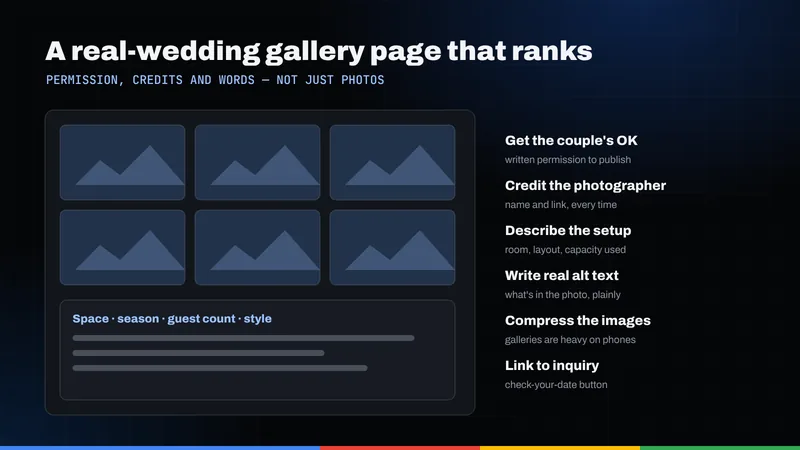
- Get the couple's written permission before publishing photos of their day.
- Confirm usage rights with the photographer, who in most cases owns the images.
- Credit the photographer by name on every gallery, with a link if they'd like one. It's courteous and builds goodwill with the vendors who recommend you.
Make each gallery its own page
One page per wedding, or per season and room, beats one enormous gallery. Add a short write-up: room, season, guest count, ceremony location and layout. Write alt text that describes the picture ("ceremony aisle facing the water at sunset"), not a string of keywords. A couple searching "garden ceremony venue" should land on the garden gallery, not the homepage.
Schema: EventVenue for the place, Event markup only for public events
Structured data describes your venue to search engines in a format they can parse. Our explainer on how schema helps search engines covers the basics; here's what matters for venues.
Describe the venue with EventVenue
Schema.org defines EventVenue as a type of Place (by way of CivicStructure), with useful properties such as maximumAttendeeCapacity, amenityFeature, address, geo, photo and openingHoursSpecification. State facts that match your pages: the same capacity, address and amenities. A restaurant with private rooms should still describe itself as a restaurant, with the event space as part of that description.
Markup helps search engines understand the page; it doesn't guarantee any special display in results.
Why Event markup is not for weddings
This is where I see venues go wrong. Google's Event structured data guidelines say events must be bookable to the general public, and they exclude events that require a membership or an invitation. A private wedding is the very definition of an invitation-only event, so marking up a couple's Saturday reception as an Event is out of bounds, however lovely the day.
The same guidelines say not to mark business hours, coupons or promotions as events, so your "spring booking special" doesn't qualify either. A genuinely public occasion might, such as an open house anyone can sign up for, with a real date and location.
Virtual tours and video: let couples walk the room from home
Couples planning from out of town love being able to "walk" a venue first. A short video moving from arrival through the ceremony site, reception room and bridal suite answers more questions than a dozen stills.
To give those videos a fair chance in Google, follow its video SEO best practices:
- Give each important video its own watch page where the video is the main content, not a clip tucked at the bottom of a long page.
- Provide a valid, stable thumbnail; Google says a video needs one to be eligible for video features.
- Describe it with VideoObject structured data, using a unique name, description and thumbnail URL for each video.
- Don't block the video file with robots.txt or noindex, and keep it at a stable URL so Google can fetch it.
Page speed when your best asset is a heavy gallery
The photos that sell the room are the same files that slow the page down. A gallery of forty full-resolution images can make a phone on a weak signal give up before the first one appears.
The fix isn't fewer photos; it's smarter loading. Google's web.dev guidance on browser-level image lazy loading recommends:
- Lazy-load images below the fold with
loading="lazy", so the browser only fetches them as a guest scrolls. - Don't lazy-load the first images in view, especially the large hero image, which is often the page's Largest Contentful Paint element.
- Set width and height on every image so the layout doesn't jump as photos arrive.
Also export images at the size they're displayed, not straight from the camera, and open each gallery with a few strong images and a link to the full set. Our article on how website speed affects revenue explains why it matters, and thoughtful website design keeps a gallery gorgeous without making it sluggish.
Rain plans, logistics and the languages your couples speak
The rain plan deserves its own section
Every couple planning an outdoor ceremony asks what happens if the weather turns. Answer it before they ask. NOAA's National Hurricane Center notes that the Atlantic hurricane season runs from June 1 to November 30, and couples booking those months will want your policy.
On each outdoor space's page, describe the backup room, whether tenting is possible, who makes the call and when, and your postponement terms for a severe storm. Calm, clear wording reassures far more than silence.
Logistics, accessibility and parking
Write the page your coordinator wishes every couple had read: end times, load-in windows, outside vendor rules, sound limits and décor restrictions. Then describe arrival honestly: the step-free route from parking to ceremony, elevators, accessible restrooms, valet or self-parking, and a rideshare drop-off point.
Multilingual pages, if your couples need them
Many North Miami Beach couples plan with parents and grandparents who are more comfortable in another language. If a meaningful share of your inquiries arrive in Spanish, Haitian Creole, Russian or another language, consider fully translated versions of your capacity, pricing and logistics pages and your inquiry form. Our guide to Spanish and multilingual SEO in North Miami Beach explains how to set them up.
Reviews, earned the honest way
Reviews are the closest thing to a friend's recommendation a couple will find online, and the rules here have real teeth.
What Google and the FTC prohibit
Google's policy on prohibited and restricted content bans reviews posted because of an incentive, bans discouraging negative reviews or selectively soliciting positive ones, and bans reviews based on a conflict of interest, such as reviews from current or former employees. In August 2024 the Federal Trade Commission also announced a final rule banning fake reviews and testimonials, which covers fake reviews, buying reviews conditioned on a particular sentiment, undisclosed insider reviews and review suppression through threats or intimidation.
In venue terms: no complimentary champagne toast for a five-star review, no asking only the couples who cried happy tears, and no reviews from your banquet captain's cousin.
What good practice looks like
- Ask every couple the same way, a week or two after the wedding, with a direct link to your profile.
- Reply to every review, warmly and specifically. Mention a detail from their day so it's clear a person wrote it.
- Answer criticism calmly, acknowledge it, and invite the couple to continue the conversation privately.
- Ask your vendors (planners, photographers, florists) to share their genuine experience if they wish, with any business relationship disclosed.
Where to begin
Start with three things: tidy your profile, publish a real capacity-and-pricing page, and turn one permissioned wedding into its own gallery page. Then work down the table. For broader context, see what makes a website rank locally, or visit our North Miami Beach SEO page. When you'd like a second pair of eyes on your site and profile, request a free SEO audit.
Frequently asked questions
What is the most important part of SEO for wedding venues?
Answering the couple's checklist clearly. A complete Google Business Profile plus dedicated pages for capacity, pricing approach, real-wedding galleries, logistics, parking, accessibility and your rain plan give couples, and Google, the answers they need to put you on the shortlist.
Should a wedding venue publish its prices?
You don't have to publish a full price list, but couples respond well to transparency. Share real starting figures or minimums if you're comfortable, or at least explain how pricing is structured, what's included and what changes the cost. Never publish a number you won't honor.
Can we use Event schema for the weddings we host?
No. Google's Event structured data guidelines require events to be bookable by the general public and exclude invitation-only events, which describes a private wedding. Use schema.org's EventVenue type to describe the venue itself, and reserve Event markup for genuinely public occasions such as an open house anyone can attend.
Do we need permission to post real-wedding photos?
Yes. Get the couple's written permission and confirm usage rights with the photographer, who usually owns the images. Credit the photographer by name on every gallery page.
Is it okay to offer couples a gift for leaving a review?
No. Google's policy prohibits reviews posted because of an incentive, and the FTC's 2024 rule bans buying reviews conditioned on a particular sentiment. Ask every couple the same way, with nothing offered in return, and reply to every review you receive.