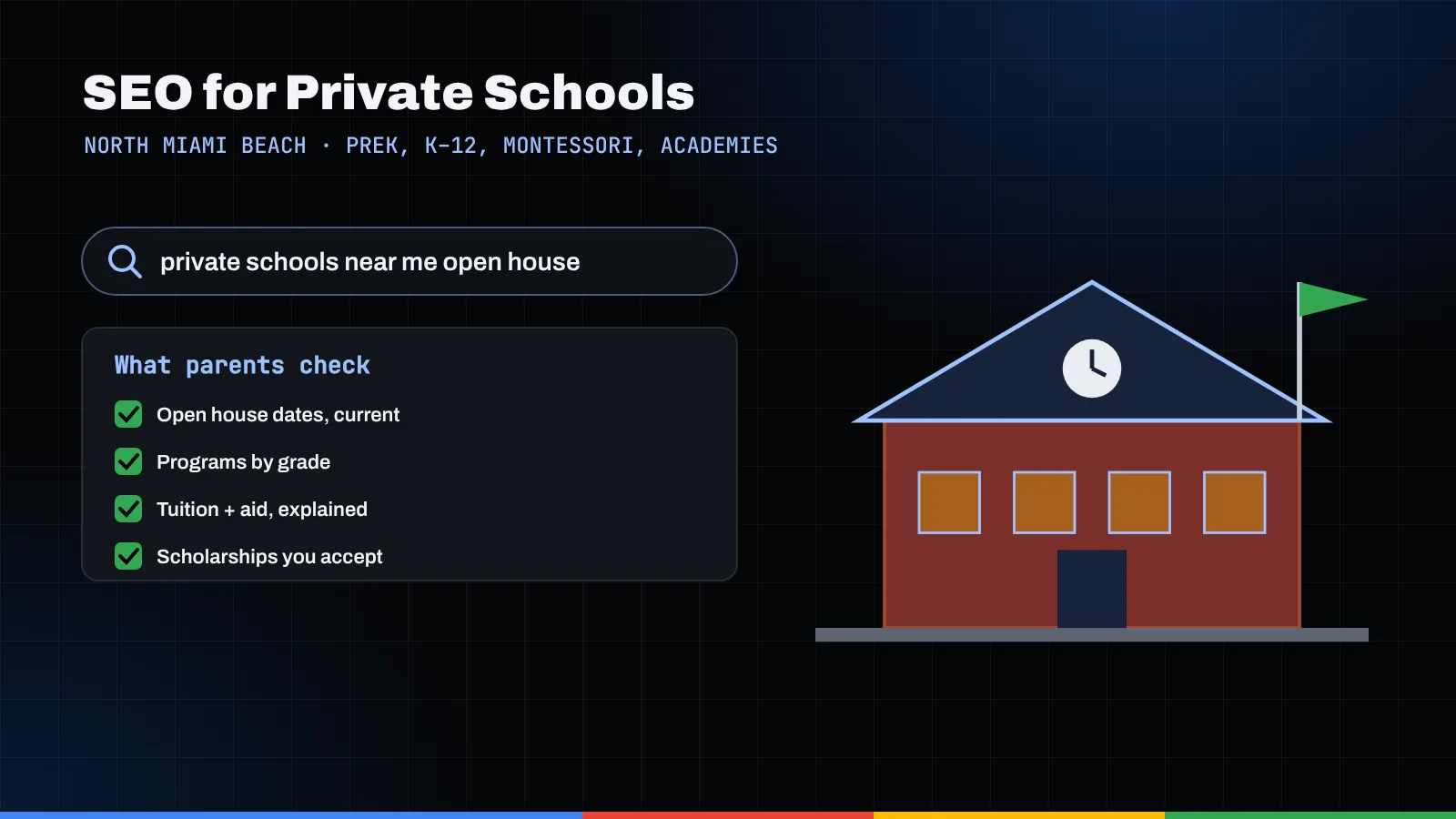
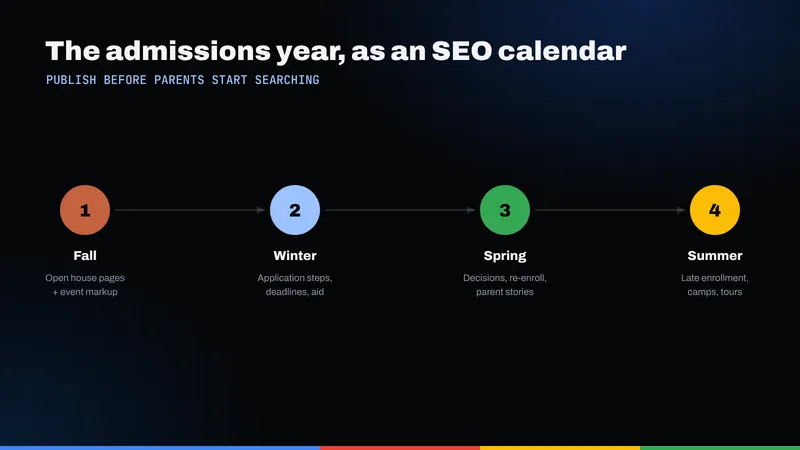
Parents search for schools on a calendar: tours in the fall, applications in the winter, decisions in the spring and enrollment questions in the summer. A private school, preschool or academy in North Miami Beach earns more of those searches by building a page for each season's question, keeping its Google Business Profile accurate under Google's rules, explaining tuition and Florida scholarship options honestly, and marking up open houses and the school itself with structured data.
Key takeaways
- Plan school SEO around the admissions year, not around a one-time website launch. Each season has its own searches and needs its own page.
- Google's Business Profile guidelines name schools among the businesses that shouldn't list hours, so put tour times and office hours on your website instead.
- Build a separate page for every grade band and program, plus a tuition and financial aid page that explains the process without guessing at numbers.
- If your school participates in Florida's state scholarship programs, say so plainly and send families to the Florida Department of Education for the official rules.
- Protect children first: get written parent permission before any student photo goes online, and never buy, gate or script reviews.
A memo to the head of school: why SEO for schools runs on a calendar
To: Head of School
From: Admissions
Re: How families find us, season by season
Every admissions office lives by a calendar: open houses, application deadlines, decision letters, summer enrollment. Parents run on the same calendar, and what they type into Google in October looks nothing like what they type in July.
That is the most useful way to think about SEO for schools. It isn't a single project. It is a set of pages and listings, each answering a question parents ask at a particular point in the year. When those pages exist, families arrive at the open house already knowing who we are.
To keep this concrete, I'll use a hypothetical school throughout. Imagine a PreK-8 campus in North Miami Beach called Bayside Lantern Academy, with a Montessori early childhood wing and an after-school tutoring program. It isn't a real school; it just gives the examples a home.
Admissions note: parents rarely search for "private school" alone. They search for the grade, the approach and the neighborhood all at once, often in two languages. Our pages should sound the way they search.
The admissions calendar at a glance
Here is the year as a parent experiences it, with the page each season calls for. Your dates will differ.
| Admissions season | What parents search for | Page to build |
|---|---|---|
| Fall: open houses and tours | Schools near them, open house dates, tour availability, "Montessori preschool near me" | One page per open house date, a "Visit us" tour page, and a strong Google Business Profile |
| Winter: applications | How to apply, application deadlines, entrance testing, what documents to bring | A "How to apply" page with a step-by-step checklist and an application timeline |
| Winter into spring: affordability | Tuition, financial aid, Florida scholarships, whether a school accepts a given scholarship | A tuition and financial aid page plus a plain-language Florida scholarships page |
| Spring: decisions | Comparisons between schools, class sizes, curriculum, reviews from current families | Program pages by grade and by approach, a faculty page, and an honest reviews strategy |
| Summer: enrollment and onboarding | Uniforms, supply lists, before- and after-care, summer camp, tutoring, the first-day schedule | A "New families" hub, after-care and tutoring pages, and a summer program page |
None of these pages are exotic. They answer questions the front desk already fields by phone every week.
Fall: open houses start with your Google Business Profile
In the fall, a parent's first search is usually local and loose: a type of school plus "near me," or a grade plus a city. Searches like these often bring up a map of nearby schools, which makes your Google Business Profile the front door of the school. Our guide to Google Business Profile in North Miami Beach covers the details, and our local SEO service handles it end to end.
What Google's guidelines actually say about schools
Google's guidelines for representing your business require that a profile represent a real location that makes in-person contact with the people it serves. A school with a physical campus fits. But in the section on business hours, Google lists "schools and universities" among the types of businesses that shouldn't provide hours, because their schedules vary by activity and class.
So put the details parents need on your website instead: office hours, tour times, drop-off and pick-up windows, after-care hours. Link the profile to that page.
Categories, names and departments
- Categories: Google asks businesses to use as few categories as possible and to pick the most specific one as primary.
- Name: use the school's real name as it appears on your signage and documents. No added keywords or city names.
- Departments: Google allows separate profiles for publicly facing departments that operate as distinct entities, each with its own name and category. A preschool hallway usually doesn't qualify; a separately run tutoring center might.
Admissions note: add photos of the campus and front entrance so families recognize the building on tour day. Leave students out unless parents have given written permission.
Open house pages and Event structured data
Each open house deserves its own page with the date, times, address, parking notes, the agenda and an RSVP form.
That matches Google's Event structured data documentation, which asks for a unique URL per event and requires a name, a startDate and a location with an address. It also sets limits:
- Events must take place in a physical location and must be bookable by the general public. An open house any family can RSVP to fits that better than an invitation-only preview for siblings.
- Google lists spectator events on school premises where the main participants and audience are minors as ineligible. The spring concert and the science fair don't belong in Event markup.
- Google says not to mark up business hours or short-term promotions as events. A standing "tours every Tuesday" slot is closer to hours than to an event, so describe it on the visit page instead.
Markup makes a page eligible for richer display; it doesn't guarantee it. Our explainer on how schema helps search engines walks through what structured data can and can't do.
Winter: application pages and program pages by grade
After a tour, searches get specific: how to apply, what kindergarten screening involves, what a Montessori morning looks like. One "Academics" page can't answer all of that.
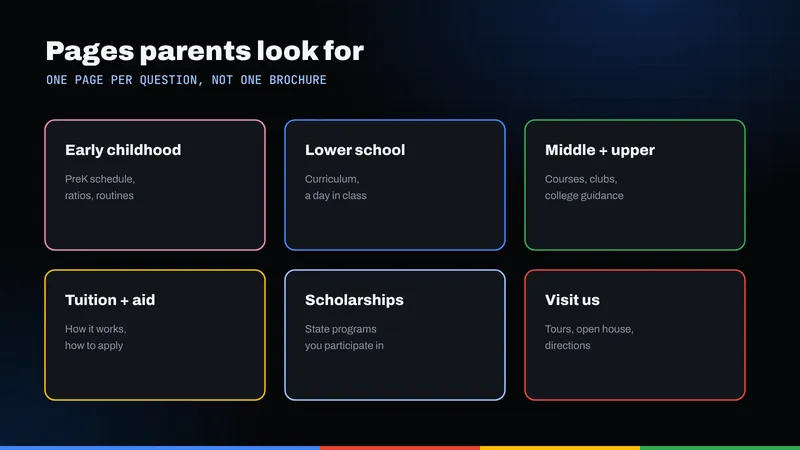
Build pages two ways: by grade and by program
For Bayside Lantern Academy, the hypothetical site map might look like this:
- By grade band: PreK 3 and PreK 4, Kindergarten, Lower School (1–5), Middle School (6–8). If a school runs through grade 12, add an Upper School page.
- By program: Montessori early childhood, STEM or robotics, world languages, faith formation for a religious school, learning support, after-school tutoring, summer camp.
- By process: How to apply, Visit us, Tuition and financial aid, Florida scholarships, New families.
Each program page should say who it is for, what a typical day includes, who teaches it and what the next step is. That is good private school SEO because it matches how parents search.
The "How to apply" page
Lay the process out as numbered steps: inquiry, tour, application, any screening or shadow day, records and recommendations, decision and enrollment contract. List the documents families need and give your deadlines as exact dates you update every year.
Admissions note: many North Miami Beach families are bilingual or multilingual. If your office admits families in Spanish, Haitian Creole, Russian or Hebrew, consider translated versions of the apply and tuition pages first. Our post on multilingual SEO in North Miami Beach explains how to set that up so each language version can be found.
Tuition and financial aid pages without guesswork
Tuition is the page parents most want and schools most often hide. Even if your board prefers not to publish figures, the page should still be useful. A strong one covers:
- Your current published tuition by grade band, or a clear statement of how families can get it and how quickly the office responds.
- What tuition includes and what is billed separately, such as registration, uniforms, books, technology, field trips, lunch and after-care.
- Payment options and the timing of deposits.
- How need-based financial aid works at your school, what the application involves and when aid decisions arrive.
- A link to your Florida scholarships page.
Whatever you publish must be current. An outdated number does more damage than none, and nobody building your site should invent one.
Florida scholarship programs: describe only what is true for your school
Many Florida families ask first whether a school takes state scholarships. The Florida Department of Education's School Choice office lists the state's K-12 scholarship programs, including the Family Empowerment Scholarship, the Florida Tax Credit Scholarship, the Hope Scholarship and the New Worlds Scholarship Accounts.
According to the FLDOE's Family Empowerment Scholarship page, the program has two parts: Educational Options, which includes attending a participating private school, and Unique Abilities, for students with disabilities as young as 3. Families apply and renew each year through an approved scholarship funding organization, and the FLDOE names those organizations on the page. The Florida Tax Credit Scholarship is also administered through nonprofit scholarship funding organizations.
The key word for your website is participating. To use these scholarships for private school tuition, families need a school that meets the state's requirements. The FLDOE's page on requirements for participating in state scholarship programs lists them, including a physical Florida location with onsite classes, notifying the department of the intent to participate, background screening compliance, teacher qualification standards and annual testing for certain grades. State law takes precedence over that summary.
How to write the scholarships page
- State clearly which programs your school currently participates in, and only those.
- Explain each briefly, then link to the FLDOE program page and the scholarship funding organizations for eligibility and amounts. Don't restate award amounts or income limits yourself; they change.
- Review the page every year before open house season, since program rules and your school's participation can change.
The annual survey is a separate obligation
The FLDOE also runs a Private School Annual Survey. Its annual survey page says administrators of private schools with full-time enrollment of Florida resident compulsory-attendance-age students must register with the department and report enrollment each year, under section 1002.42 of the Florida Statutes. It isn't marketing work, but the department also publishes a private school directory, so keep your name, address and phone consistent across that registration, your website and your Google profile.
Admissions note: this is the page where precision matters most. If you're unsure whether a statement about a scholarship is accurate, link to the FLDOE and let the state say it.
Spring decisions: honest reviews and student privacy
In spring, families compare. Two topics deserve your personal attention.
Reviews: ask everyone, reward no one
Google's policy on prohibited and restricted content treats paid or incentivized reviews as fake engagement and forbids offering discounts or other incentives for reviews. It also prohibits selectively soliciting positive reviews or discouraging negative ones, and it counts current or former employment as a conflict of interest. So: no tuition credits for reviews, no asking only the happiest families, no staff reviews.
The Federal Trade Commission's 2024 final rule on fake reviews and testimonials adds federal teeth. The FTC describes it as banning fake reviews, including AI-generated ones, incentives conditioned on a particular sentiment, undisclosed insider reviews, and intimidation used to suppress negative reviews.
The honest version works fine: send the same polite request to every family at a natural moment, reply calmly, and never confirm a student's identity or details in a reply.
Student photos and children's privacy
As general practice, get written permission from a parent or guardian before any identifiable student appears on your website, Google profile or social channels, keep a record of who has opted out, and avoid pairing a child's full name with a photo. Have your attorney review the release form.
The federal Children's Online Privacy Protection Act may also be relevant if your site collects information directly from children. The FTC's COPPA FAQ explains that the rule covers commercial websites and online services directed to children under 13, and general-audience sites that knowingly collect personal information from them, and that a child's photo or video counts as personal information. A student-facing portal or sign-up form is worth reviewing with counsel.
Schema for the school itself
Beyond open house events, your homepage and contact page can describe the school in structured data. Schema.org defines EducationalOrganization with more specific types, including Preschool, ElementarySchool, MiddleSchool, HighSchool and School. Pick the type that matches the institution.
Useful properties include the school's official name, address, telephone, url, logo and sameAs links to your official social profiles. Everything in the markup should match what's visible on the page and on your Google profile.
Summer enrollment and the year-round routine
Summer brings new families with questions and late searchers still looking. A "New families" hub with supply lists, uniforms, the first-week schedule and after-care sign-up saves the office many calls, and a summer camp or tutoring page reaches families not ready to enroll yet.
The routine I'd suggest:
- August–September: publish this year's open house pages, refresh profile photos, confirm categories and update the visit page.
- October–December: update the apply page with exact deadlines, and review the tuition and scholarships pages.
- January–March: answer reviews, refresh program pages with current faculty and curriculum details, and check that every form works on a phone.
- April–July: update the new families hub, the summer program page and next year's calendar.
Each page should end with a clear next step: book a tour, start an application, call the office. If parents read the page and leave without acting, our conversion optimization work focuses on that gap.
If you'd like help building this calendar out, Ribacoff Enterprises handles SEO, local search and web design for organizations across South Florida, including SEO in North Miami Beach and broader SEO in Miami. You can browse our recent work, or request an audit and we'll review your current site and profile against the admissions year.
Frequently asked questions
Can a private school have a Google Business Profile?
Yes. A school with a physical campus that serves families in person can have a profile. Google's guidelines list schools among the businesses that shouldn't provide hours, so put office hours and tour times on your website and link to it from the profile.
Should we publish our tuition on the website?
Publishing current tuition by grade band is usually the most helpful option for families, but it is a board decision. At minimum, explain what tuition includes, what is billed separately, how financial aid works and how quickly the office will share figures.
Can we say we accept Florida scholarships?
Only if your school currently participates in the program and meets the state's requirements. Name the specific programs, such as the Family Empowerment Scholarship or the Florida Tax Credit Scholarship, and link to the Florida Department of Education for eligibility and amounts.
Can we use Event structured data for our open house?
An open house held on campus and open to any family that RSVPs can fit Google's Event guidelines if it has its own page with a name, start date and address. Student performances where the main participants and audience are minors, and recurring weekly tour slots, aren't a good fit.
Is it okay to offer families a gift for leaving a review?
No. Google's content policy prohibits incentives for reviews, and the FTC's 2024 rule bans incentives conditioned on a particular sentiment. Ask every family the same way, reward no one and reply to every review respectfully.