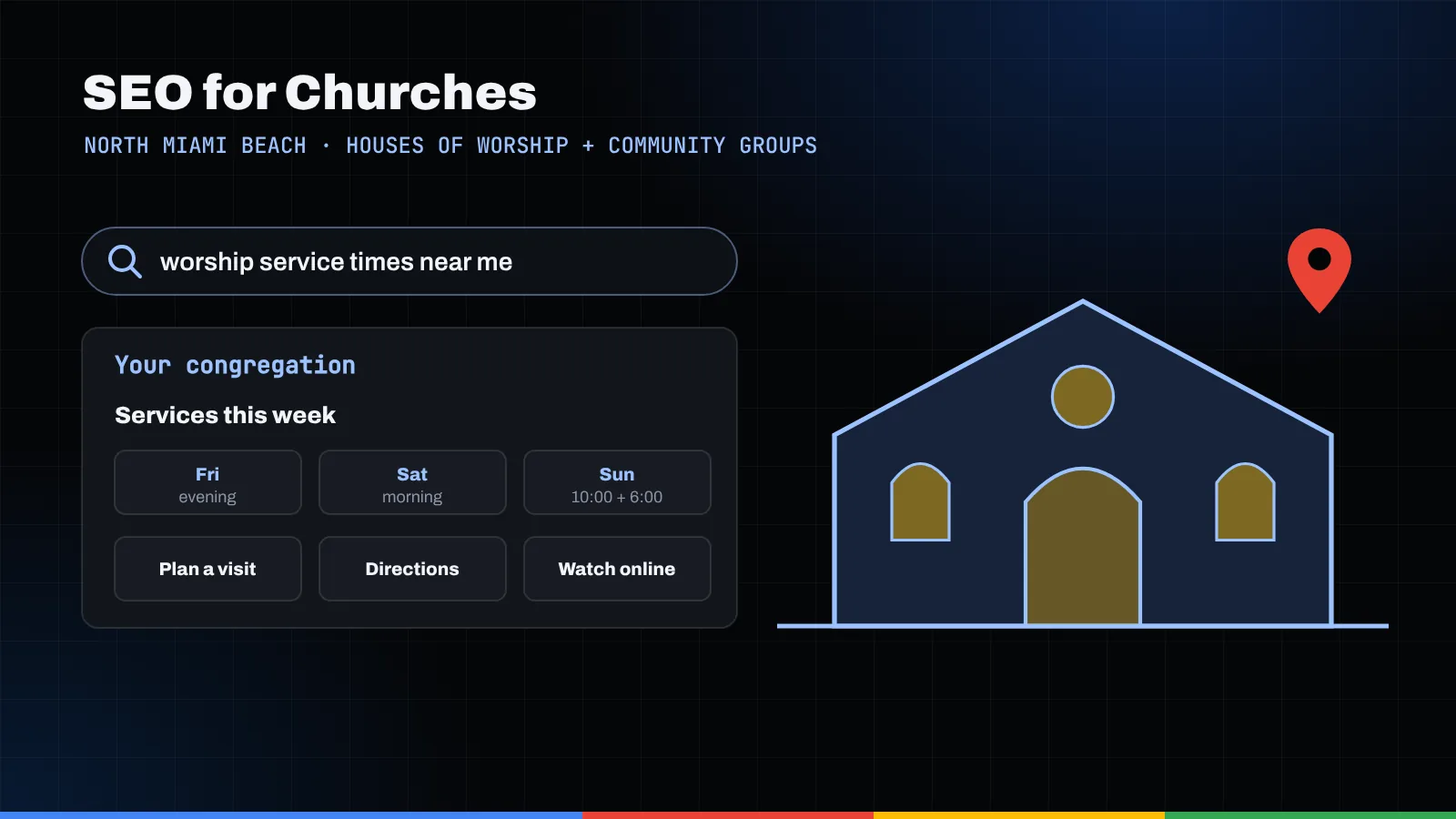
Good SEO for churches is mostly hospitality written down. Keep your Google Business Profile accurate, publish a clear "Plan your visit" page, list service times and accessibility details where people actually look, and keep your name, address and phone number the same everywhere. A small team of volunteers can do all of it, a little at a time.
Key takeaways
- Treat your Google Business Profile as your front steps: accurate name, category, address, phone and building hours, plus holiday changes before they happen.
- A "Plan your visit" page answers the quiet questions newcomers are too shy to ask, like what to wear, where to park and what happens with the kids.
- Use Event markup only for real, public, in-person events on their own pages; weekly worship times belong in plain text and on your profile.
- In a city where most residents speak a language other than English at home, a page in each language you worship in is a genuine welcome.
- Google Ad Grants can help, but Google for Nonprofits currently requires IRS-recognized 501(c)(3) status, so check your paperwork before you apply.
Why does search matter for a congregation?
Think about the last person who walked through your doors for the first time. Chances are they looked you up first. Maybe they had just moved to North Miami Beach. Maybe they were grieving and wanted somewhere to light a candle or simply sit. Maybe they needed a food pantry or a youth group for a teenager who needs friends.
Before they met your greeters, they met your Google listing and your website. That first impression is what SEO for churches is about. It isn't about tricks or competing with the congregation down the road. It's about helping people already looking for a spiritual home find yours, understand it and feel safe walking in.
This guide is for any church, synagogue, mosque, temple, parish or faith-based group with a small staff and willing volunteers. We say "church" in places because that's how many people search, but the steps work for every house of worship. Church SEO is really a gentle cousin of the local SEO Miami businesses rely on, and for the wider local picture, see our North Miami Beach SEO page.
Take a breath. You don't need a marketing degree. You need a shared login, a calendar reminder and someone who cares.
How should a place of worship set up its Google Business Profile?
Your Google Business Profile is the card in Google Maps and search results with your address, phone, photos and a directions button. For many visitors it's the only thing they check. Google's guidelines for representing your business apply to congregations the same way they apply to everyone else, and a few of them matter a lot.
Your name and category
Use the name on your sign and letterhead. Google says adding unnecessary information to your name isn't permitted, so skip "Best Church in North Miami Beach."
For your category, Google asks you to use as few as possible, as specific as possible, and to pick ones that complete the sentence "This business IS a," not "this business HAS a." You can't invent a category, so type your tradition into the field, see what Google offers, and choose the most specific option that honestly describes your congregation.
Hours, worship times and holidays
Congregations often get stuck here, because your building isn't "open" the way a store is. A gentle way to think about it:
- Regular hours should reflect when someone can actually reach you in person, such as office hours. Google asks for your customer-facing hours.
- More hours are for specific services and should generally be a subset of your primary hours. Check the "Add more hours" menu; if no type honestly fits, don't force it.
- Special hours cover particular days, like holidays or special events. Add them for Christmas, the High Holy Days, Ramadan or whatever your calendar holds, a few weeks ahead.
If you hold several services (an early service, a Spanish-language Mass, Friday evening and Saturday morning Shabbat services), list them in your profile description and posts, and link to the service times page on your website, where the full schedule can live comfortably. Google's guidelines also let publicly facing departments that operate as distinct entities, such as a preschool with its own entrance and hours, have their own profile under a different name. A weekly study group doesn't need one.
For a deeper walk-through, see our guide to Google Business Profile in North Miami Beach.
What belongs on a "Plan your visit" page?
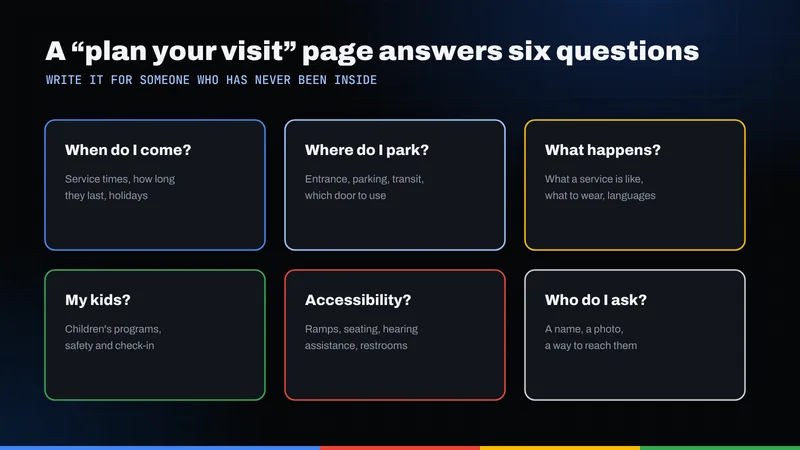
If you build one new page this year, make it this one. A "Plan your visit" page answers questions people are too nervous to ask out loud, and gives Google a focused page about visiting you. Write it the way you'd talk to a guest at the door: warm, plain and specific. Cover:
- When to come. Service times spelled out, and which service suits a first visit.
- Where to go. Street address, which entrance, and where to park.
- What to expect. How long it runs, whether there's music, when people stand or sit.
- What to wear. Newcomers worry about this more than anything. Tell them honestly.
- Children and youth. Nursery, children's programs and how check-in works.
- Accessibility. Step-free entrances, accessible restrooms, hearing assistance, large print. Only list what you truly have.
- Who to contact. A real name and email for a person who will reply.
Add a photo of your entrance (no people needed) so visitors recognize the building when they pull up.
Where should service times and accessibility details live?
A newcomer's questions don't all belong in one place. Here's a simple map for deciding where each answer lives.
| First-time visitor question | Where to answer it | Tip for volunteers |
|---|---|---|
| When is the next service? | Service times page, Plan your visit page, profile description and posts | Spell out day and time; avoid "the usual time." |
| Is it open on the holiday? | Profile special hours, homepage notice | Set holiday hours a few weeks early. |
| Where do I park and which door do I use? | Plan your visit page | Add a photo of the entrance. |
| Can I get in with a wheelchair or walker? | Accessibility section of the Plan your visit page | Describe the route from parking to seat. |
| Is there a service in my language? | Language-specific pages, service times page | Write it in that language, not just in English. |
| What about my kids? | Children and youth page, Plan your visit page | Explain check-in and safety in a sentence or two. |
| Can I watch online first? | Livestream or sermon archive page | Link it from the homepage and the visit page. |
| Who do I talk to? | Contact page, every page footer | Use a monitored inbox and a real name. |
Keep service times on one "source of truth" page and link to it from everywhere else. When times change, update that page, then your profile, and you're done.
How do event pages and Event schema work for a congregation?
Concerts, community dinners, holiday festivals and open houses are wonderful reasons for neighbors to find you. Give each public event its own page with a title, date, start time, address and who it's for.
Structured data (schema markup) is a small block of code that tells search engines what a page is about. Google's Event structured data documentation is worth reading carefully, because it draws some lines that matter for congregations:
- The required properties are the event's name, its start date and time, and its location with an address.
- Each event should have its own page focused on a single event, not a schedule or a list.
- Events need a physical location. Google says virtual experiences with no real-world component aren't supported.
- Events must be open to the general public. Events that require a membership or an invitation aren't eligible.
- Business hours aren't events, so your weekly worship schedule shouldn't be marked up as a string of Event entries.
For the congregation itself, schema.org defines a PlaceOfWorship type, with more specific types for Church, Synagogue, Mosque, HinduTemple and BuddhistTemple. Using the most fitting type on your homepage, with your name, address and phone, helps search engines connect the dots, and many website plugins make it a volunteer-sized task. Our post on how schema helps search engines explains the idea in plain language.
How should you handle multilingual services and pages?
North Miami Beach is a city of many languages. The Census Bureau's QuickFacts for North Miami Beach reports that 71.8% of residents age 5 and older speak a language other than English at home (2020 to 2024 estimates). If your congregation worships in Spanish, Haitian Creole, Hebrew, Russian, Portuguese or any other language, your website should say so in that language.
A few gentle guidelines:
- Give each language its own page, not a paragraph tucked under the English text.
- Translate with people, not just tools. Ask a fluent member to review anything about rites or prayers.
- Put the language switch near the top of every page.
- Match your profile and posts. If Saturday evening is in Creole, say so there too.
For the technical side, read our guide to Spanish and multilingual SEO in North Miami Beach.
How do livestreams and sermon archives help people find you?
Many people "visit" online before they come in person. A tidy sermon or teaching archive lets them hear your voice from their couch. Google's video SEO best practices give a helpful framework:
- Give important videos their own page. Google describes a "watch page" as one whose main purpose is a single video, with a unique title and description. A sermon page with the video, a short summary and the text reference fits well.
- Use a stable, unique thumbnail for each video that Googlebot can access.
- Add VideoObject structured data that matches the name, description and thumbnail on the page.
- Help people jump ahead. On YouTube, Google says you can add timestamps and labels in the description, such as "Reading," "Message," "Prayer."
- Don't block the video files from Google if your site hosts them.
A transcript isn't on Google's video checklist, but it's kind to members who are deaf or hard of hearing and gives the page searchable words.
Can a congregation use Google Ad Grants?
Perhaps. Google Ad Grants says each qualifying nonprofit has access to up to $10,000 per month in search ads on Google.com, which can put a food pantry or outreach program in front of people searching for help.
Like most SEO for nonprofits, the free help comes with rules, and eligibility deserves care. Ad Grants runs through Google for Nonprofits. Its eligibility page says that in the United States an organization must be registered with the IRS as exempt under Section 501(c)(3), or be part of a group exemption through a central organization with that status, and must be verified through Google's validation partner. It lists governmental entities, hospitals and health care organizations, and schools and universities as ineligible. That page doesn't list religious organizations as ineligible.
Here's what many congregations miss. Google's page on tax-exempt organizations in the United States notes that churches meeting 501(c)(3) requirements are automatically considered tax exempt without applying. But to be eligible for Google for Nonprofits, an organization still needs IRS recognition of its 501(c)(3) status. If your congregation never sought that recognition and isn't covered by a denomination's group exemption, you may not qualify yet. Ask your treasurer or denominational office before applying.
Ad Grants accounts also have their own policies, and Google says it can grant or deny participation at its discretion. If you'd like help deciding whether paid search is worth the volunteer time, our Google Ads team is happy to talk it through.
Why does keeping your name, address and phone consistent matter?
NAP stands for name, address and phone number. When these read the same on your website, Google profile, denominational directory, Facebook and Apple Maps, search engines and visitors both feel more confident they're all you.
Congregations drift out of sync in familiar ways: a name change after a merger, an old office line nobody answers, a P.O. box in one place, a former clergy member's cell number in another. Google's guidelines ask for a phone number under the direct control of the organization that connects to your location, and they say a mailing address where you don't operate isn't eligible for a profile.
A simple volunteer task: list every place your congregation appears online, note how your details read, and correct anything that doesn't match. Do it once a year. Our North Miami Beach local SEO checklist has a fuller list of places to look.
A word about members' privacy
Photos of community life make your site feel alive, and they carry responsibility. Get a parent's permission before posting photos of children, and avoid pairing children's faces with full names. Don't post prayer requests or personal news without the person's clear okay. When in doubt, a photo of a candle or a sanctuary from behind says plenty.
What's a realistic plan for a small volunteer team?
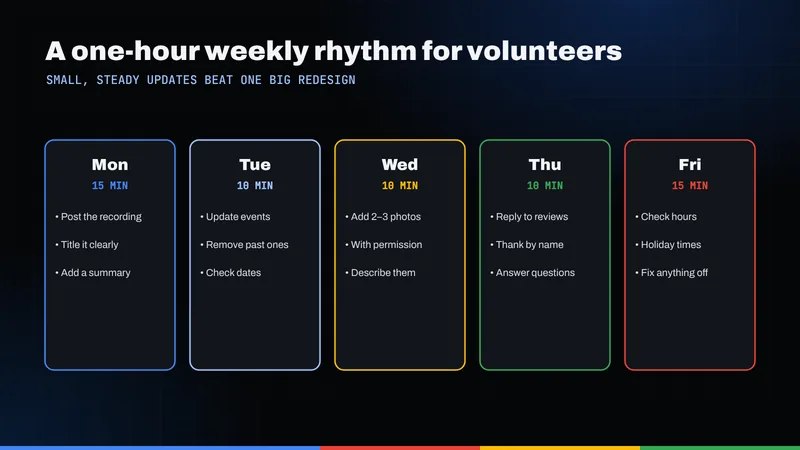
You don't need to finish this in a weekend. Here's a gentle rhythm:
- Month one: Claim or confirm your Google Business Profile. Make sure two trusted people have access. Fix your name, category, address, phone and regular hours. Add holiday hours for the next season.
- Month two: Write your Plan your visit page and your single service times page. Link them from your homepage.
- Month three: Add language pages for each language you worship in, reviewed by fluent members.
- Month four: Tidy your sermon or teaching archive. Give recent messages their own pages with summaries.
- Ongoing: Give each public event its own page, post it to your profile, and check your listings once a year.
If you'd rather hand the technical pieces to someone else so volunteers can focus on people, that's what our local SEO and website design services are for. For a second pair of eyes, you can request a free audit, and we'll point out the few changes that would help the most.
Frequently asked questions
Does SEO for churches work for synagogues, mosques and other houses of worship?
Yes. The steps are the same for any congregation: an accurate Google Business Profile, a clear Plan your visit page, service times and accessibility details, consistent contact information and helpful pages for events and teachings. Schema.org even has specific types for Church, Synagogue, Mosque, HinduTemple and BuddhistTemple under PlaceOfWorship.
Should we mark up our weekly worship services as events?
Generally no. Google's Event structured data guidelines say pages should focus on a single event and that business hours aren't events. List weekly services as plain text on a service times page and on your profile, and save Event markup for real, public, in-person events that each have their own page.
Is our church eligible for Google Ad Grants?
It may be. Google for Nonprofits doesn't list religious organizations among its ineligible types, but in the United States it requires IRS-recognized 501(c)(3) status or coverage under a group exemption, plus verification by Google's partner. Churches are automatically tax exempt without applying, yet Google says IRS recognition is still needed for eligibility, so check with your treasurer or denomination first.
How do we list several services at different times on Google?
Use regular hours for when people can reach you in person, add special hours for holidays, and check whether any "More hours" types fit your situation. Put the full worship schedule in your profile description and posts, and link to one service times page on your website that you keep up to date.
Can volunteers really handle this without a big budget?
Yes. Most of the work is writing clear, welcoming information and keeping it accurate. A small team can follow a month-by-month plan: profile first, then a visit page and service times, then language pages, then your sermon archive. Hire help only for the technical pieces you'd rather not do.